Ontario G1 knowledge test · 2026

Pass your G1
the first time.

Four hundred practice questions, a simulator that mirrors the real test, every Ontario road sign, and a plain-language handbook. In eight languages, on your phone.

  • Free, ad-supported
  • No account needed to start
  • Follows the MTO handbook
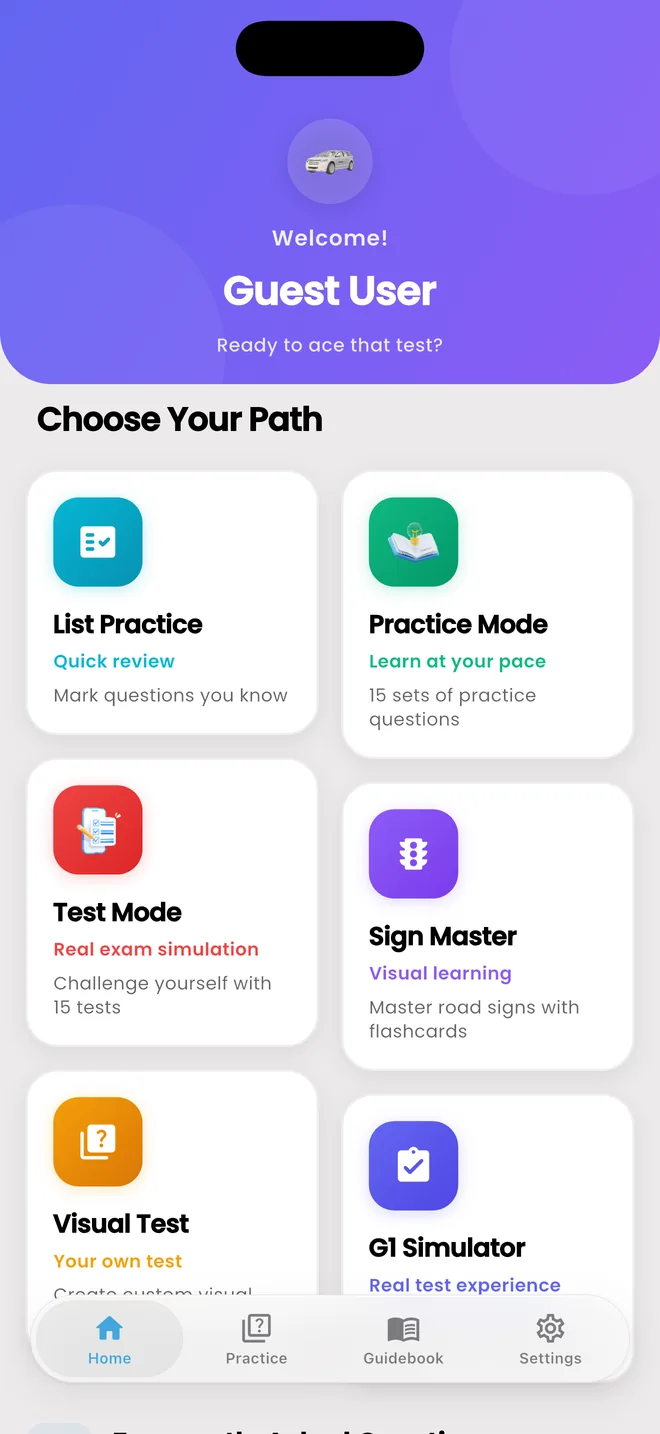
Home screen with six study modes
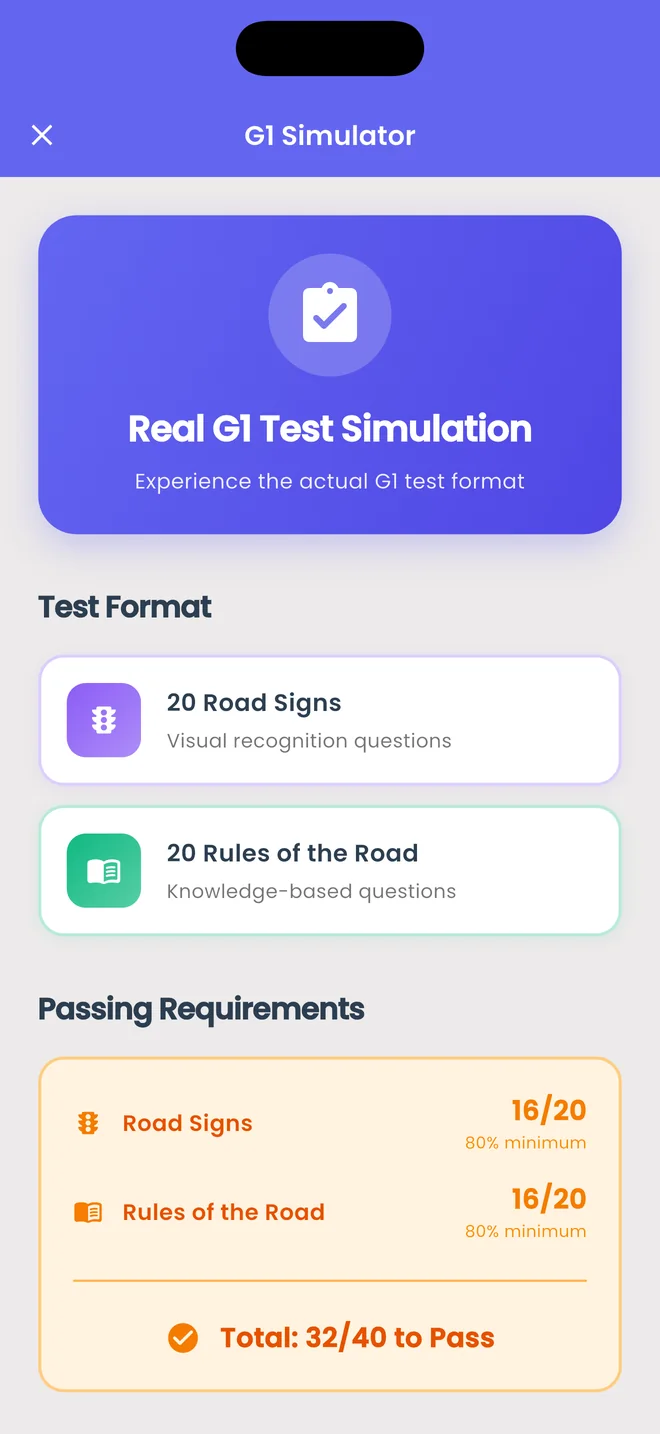
G1 Simulator: 20 road signs and 20 rules of the road
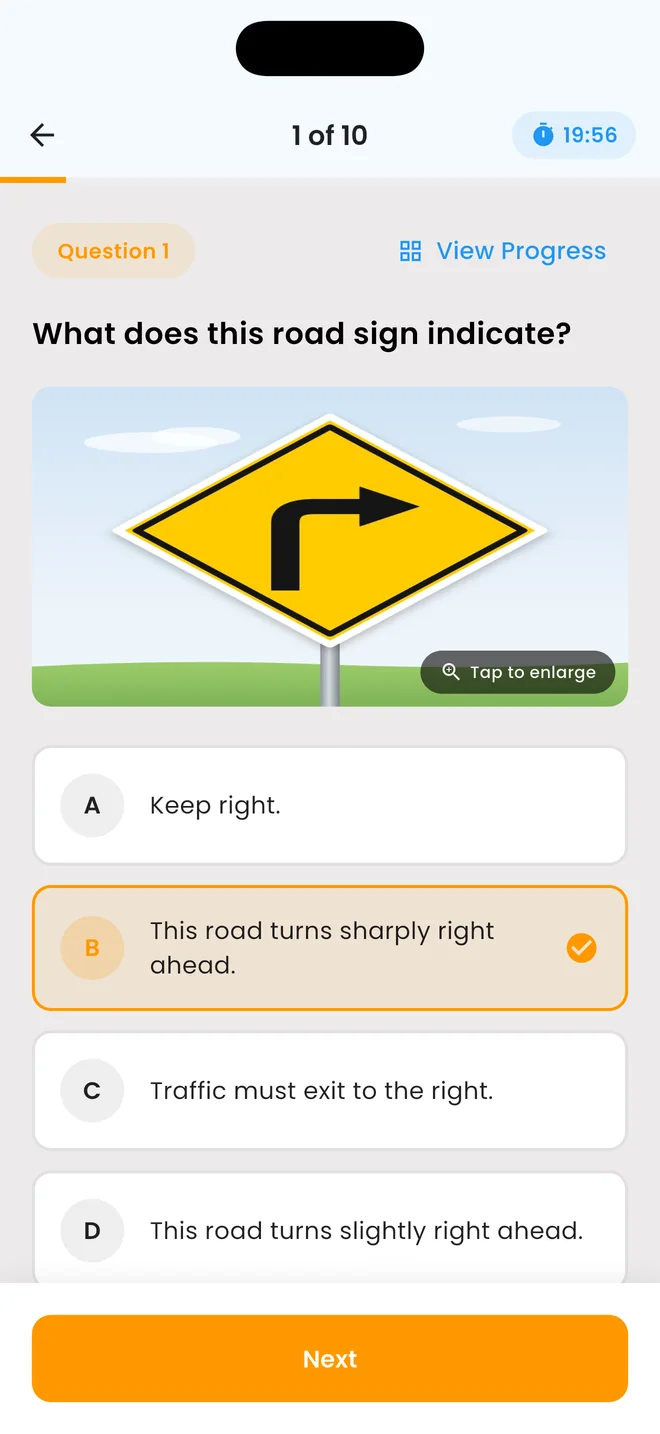
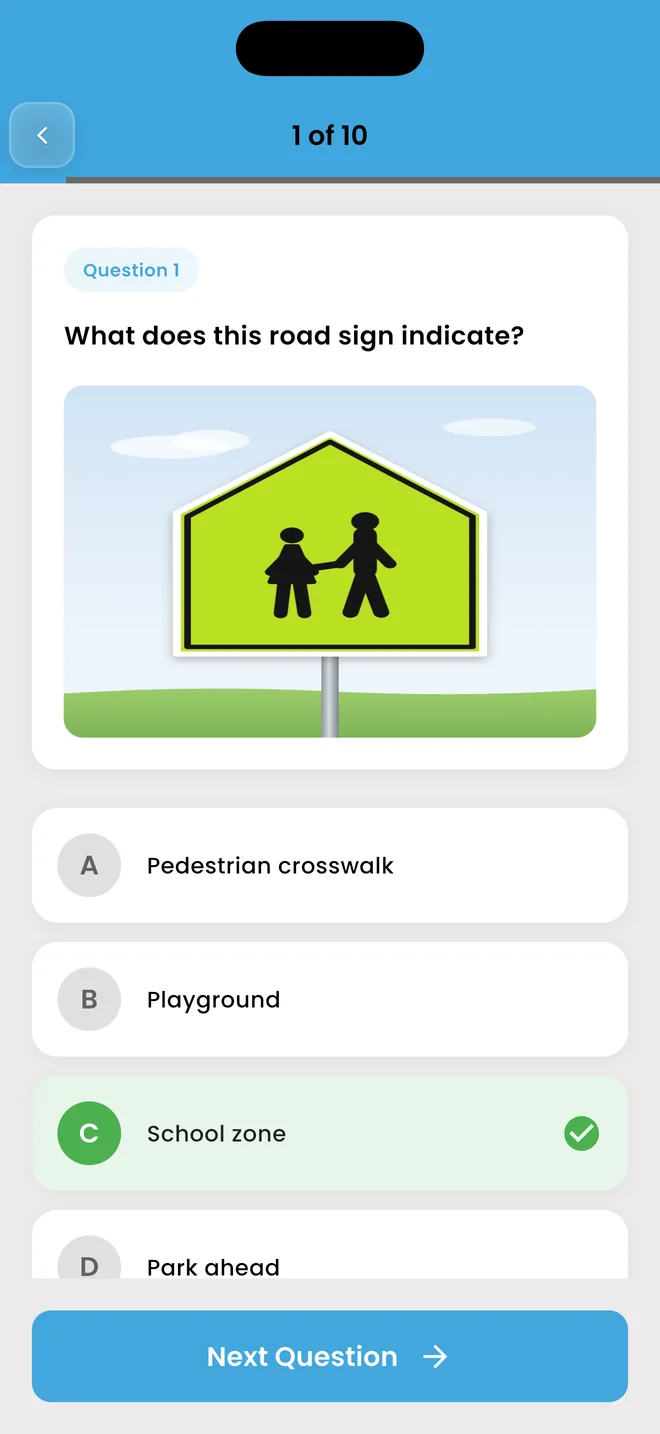
Practice question: a school zone sign, answered correctly
CorrectSchool zone
19:56on the clock
32 / 40to pass
  • 400Practice questions
  • 150Road-sign questions
  • 9Handbook chapters
  • 8Languages

Four ways to study

Learn it. Drill it. Then sit the real thing.

Each mode is built for a different stage of getting ready. Scroll to see them.

01

Practice mode

Answer at your own pace. The right answer appears straight away, with an explanation of why. Eight sets of fifty, and your progress is saved on each one.

  • Instant feedback on every answer
  • Explanations from the handbook
  • Progress saved per set
Practice question answered correctly
02

Test mode

A countdown, a progress view, and no answers until the end. The pressure on test day won't be new.

  • Live timer
  • Jump between questions
  • Full review when you submit
Timed test with countdown
03

G1 Simulator

Twenty road-sign questions and twenty rules-of-the-road questions, marked the way the G1 is: sixteen right in each part to pass.

  • Same two parts as the real test
  • Same pass mark, 32 of 40
  • See exactly where you stand
G1 Simulator test format and pass marks
04

Sign Master

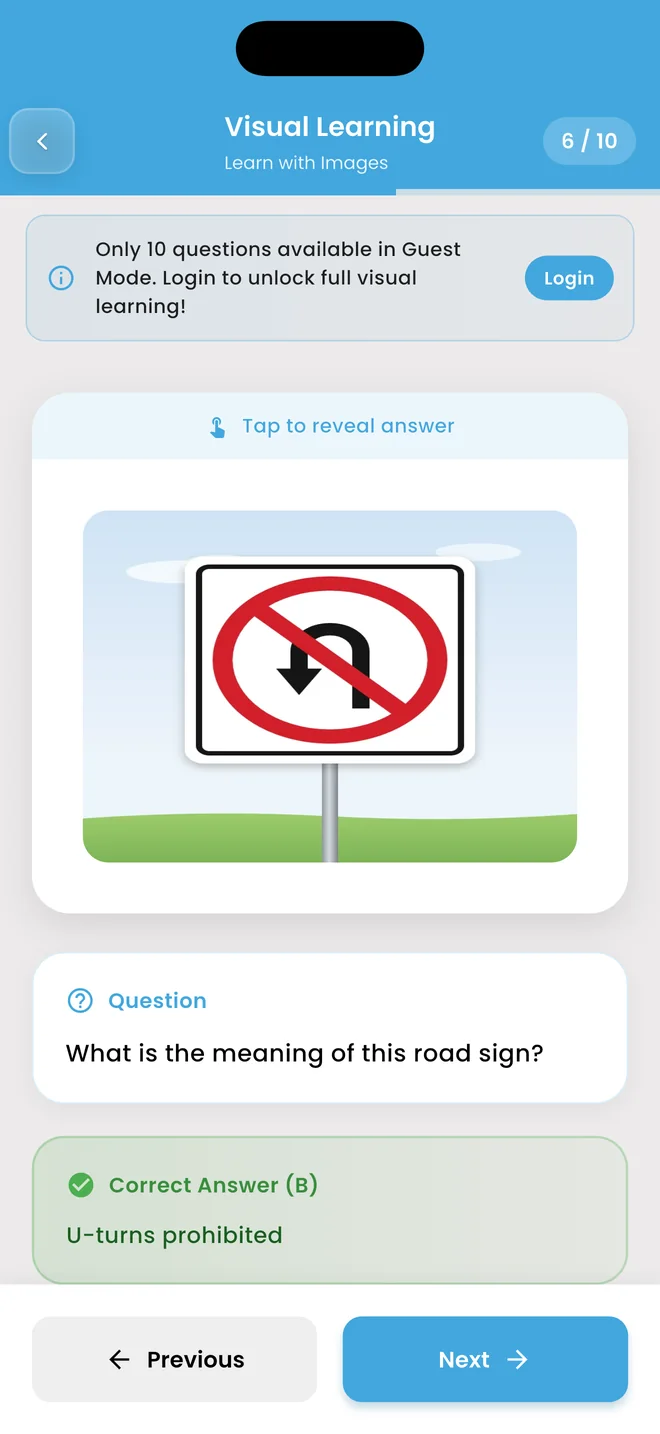
See the sign, guess, tap to reveal. When the flashcards feel easy, build your own visual test from 150 sign questions.

  • Flashcards for every sign
  • Custom visual tests
  • Signs as they look on the road
Road sign flashcard with the answer revealed

And everything around it

Built for the whole run-up to test day

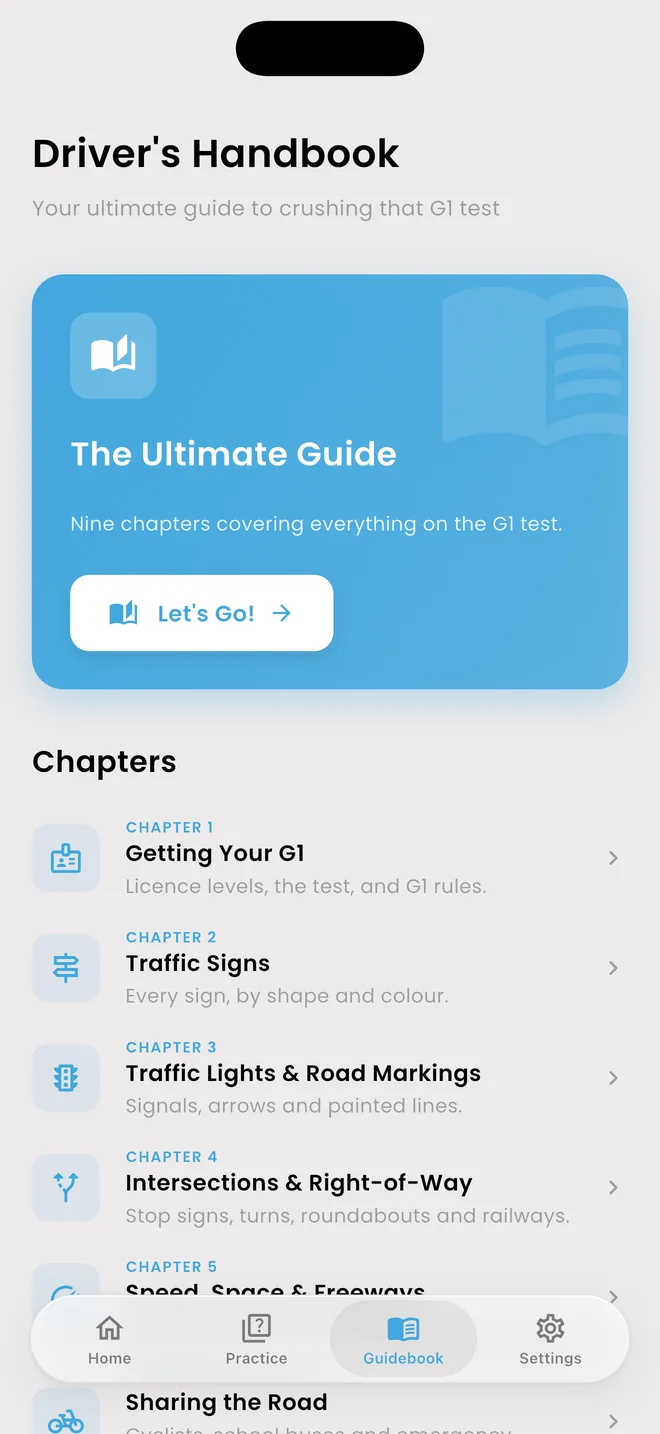
The handbook, chapter by chapter

Nine short guides that cover what the Official MTO Driver's Handbook covers, in plain words.

  1. 01Getting your G1
  2. 02Traffic signs
  3. 03Lights & road markings
  4. 04Intersections & right-of-way
  5. 05Speed, space & freeways
  6. 06Sharing the road
  7. 07Turns & parking
  8. 08Night, weather & emergencies
  9. 09Laws & penalties
See what's in each chapter

Your language

Switch the whole app, questions included, any time.

  • English
  • Français
  • 中文
  • ਪੰਜਾਬੀ
  • Español
  • Português
  • فارسی
  • Русский

Streaks & achievements

Daily streaks, XP and badges keep you coming back. Optional reminders when you want a nudge.

Custom tests

Pick the question count, the time limit and the mix. Practice, mock or visual: your rules.

Review weak areas

The questions you got wrong come back until you get them right.

Start as a guest

No account to try it. Sign in with Google or Apple when you want every set and your progress synced.

Know the test

Forty questions. Two parts. Sixteen right in each.

A strong score on rules can't make up for a weak one on signs. The simulator uses the same split and the same pass mark.

16/20to pass

Road signs

What signs mean, by shape, colour and symbol.

Total 32/40 needed to pass
16/20to pass

Rules of the road

Right-of-way, speed, safe driving, licences and penalties.

How it works

Three steps to test day

  1. 01

    Learn

    Read the handbook chapters and flip through the sign flashcards.

  2. 02

    Practise

    Work through the practice sets. Every answer comes with an explanation.

  3. 03

    Simulate

    Sit the G1 Simulator. When you're passing both parts, book your test.

Screens

A look inside

Real screenshots from the app. Tap one to see it bigger.

  • HomeEvery study mode, one tap away.
  • Practice modeInstant feedback on every answer.
  • Sign questionsReal Ontario signs, as you'll meet them.
  • Test modeTimed, with a live countdown.
  • G1 Simulator20 signs + 20 rules, like the real test.
  • Sign MasterFlashcards that reveal the answer.
  • HandbookNine chapters, plain language.
  • SettingsLanguages, Gen Z mode, reminders.

FAQ

Questions, answered

Is G1 Driving free?

Yes. The app is free to download and is supported by ads. You can start straight away as a guest; signing in unlocks every practice set.

Do I need an account?

No. You can try the app as a guest, with a limit on how many questions you see. Sign in with Google or Apple when you want every set unlocked and your progress synced.

Is this the official G1 test?

No. G1 Driving is an independent study app. The content follows the topics in the Official MTO Driver's Handbook, but we are not affiliated with or endorsed by the Government of Ontario, the MTO, ServiceOntario or DriveTest.

How is the real G1 test marked?

There are 40 multiple-choice questions: 20 on road signs and 20 on rules of the road. You need at least 16 correct in each part to pass.

Which languages does the app support?

English, French, Chinese (Simplified), Punjabi, Spanish, Portuguese, Farsi and Russian. You can switch at any time in Settings.

How do I delete my data?

You can delete your account from inside the app, or ask us by email. The data deletion page explains both ways and what gets removed.

Ready when you are.

Download G1 Driving and start your first practice set in under a minute.

Free onGoogle Play

Study guide · Free in the app

The G1 handbook,
in plain words.

Nine short chapters that cover what the Official MTO Driver's Handbook covers: every sign, every rule of the road, and the numbers the test asks about. Written in our own words and checked against ontario.ca.

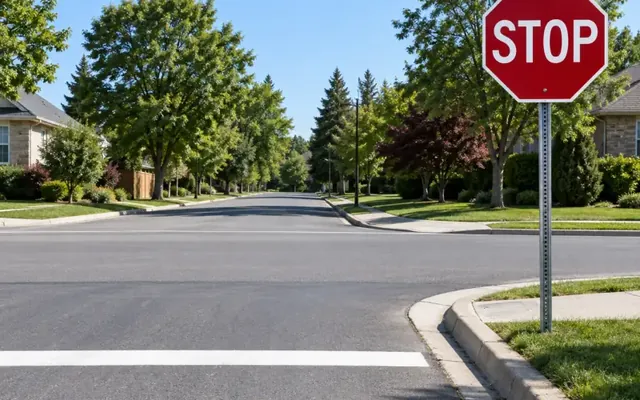
  1. Stop sign at a quiet intersection
    Chapter 01

    Getting Your G1

    How Ontario's graduated licensing works, what's on the knowledge test, and the rules you follow as a learner.

  2. Two-way traffic warning sign
    Chapter 02

    Traffic Signs

    Read any sign by its shape and colour, then learn the ones the test loves to ask about.

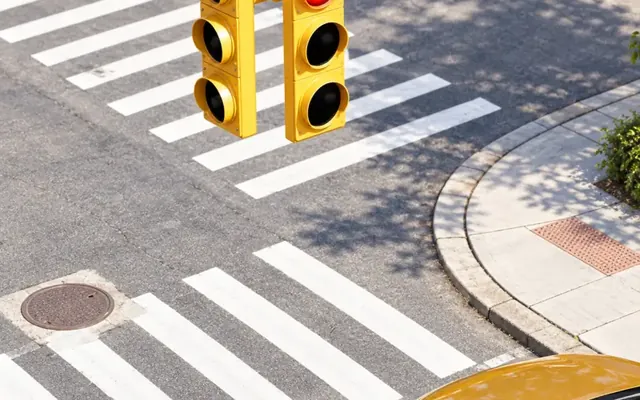
  3. Traffic light on red above a crosswalk
    Chapter 03

    Traffic Lights & Road Markings

    Every signal, arrow and flashing light, plus what the lines painted on the road are telling you.

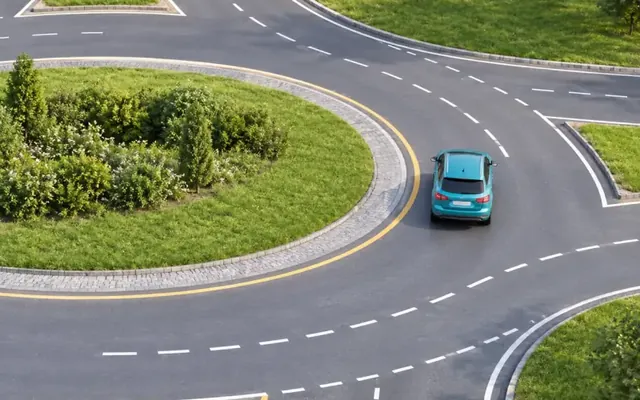
  4. Roundabout seen from above
    Chapter 04

    Intersections & Right-of-Way

    Who goes first at stop signs, turns, roundabouts, crossovers and railway crossings.

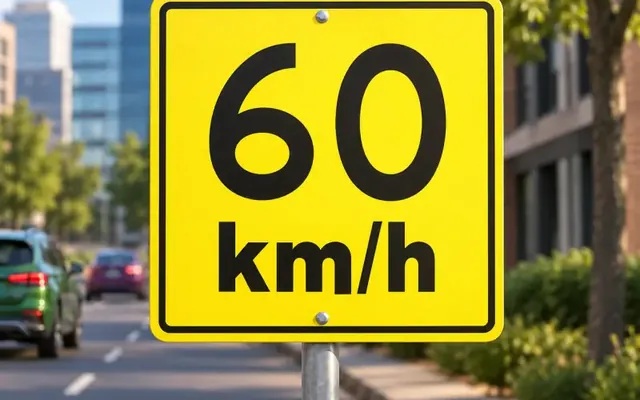
  5. 60 km/h speed limit sign
    Chapter 05

    Speed, Space & Freeways

    Speed limits, safe following distance, changing lanes, passing, and getting on and off the freeway.

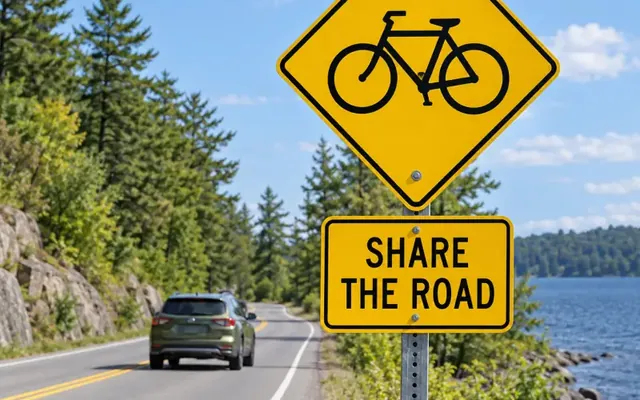
  6. Share the road with cyclists sign
    Chapter 06

    Sharing the Road

    Pedestrians, cyclists, trucks, school buses, streetcars and emergency vehicles: what each one needs from you.

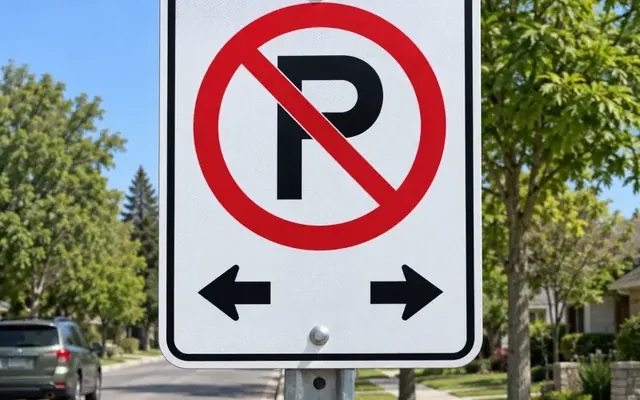
  7. No parking sign
    Chapter 07

    Turns, Parking & Manoeuvres

    Signals, U-turns, three-point turns, parallel parking, hills, and where you can never park.

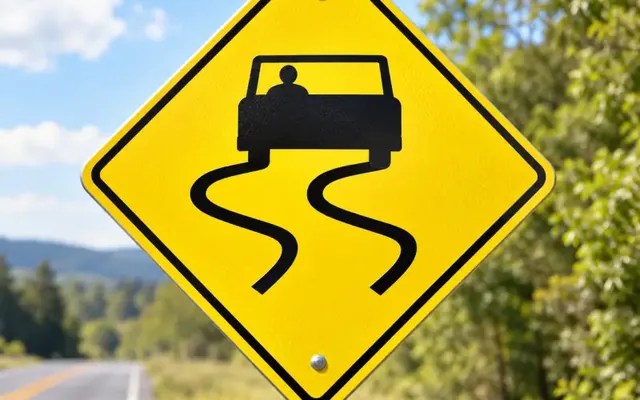
  8. Slippery when wet warning sign
    Chapter 08

    Night, Weather & Emergencies

    Headlights, fog, rain, snow and skids, plus exactly what to do when something goes wrong.

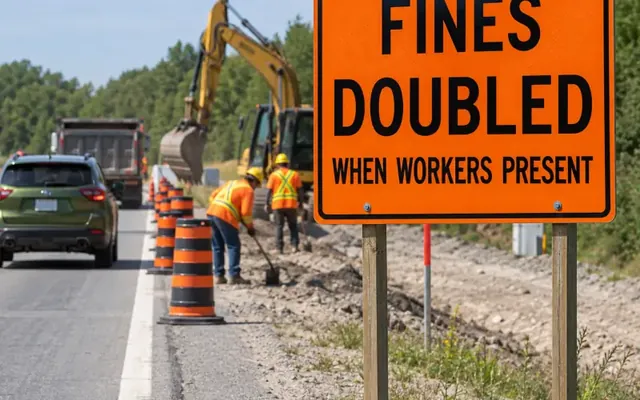
  9. Fines doubled when workers present sign
    Chapter 09

    Laws, Penalties & Key Numbers

    Seatbelts, impaired and distracted driving, demerit points, and a one-page cheat sheet of every number to know.

Open a chapter in G1 Driving and it downloads to your phone, then stays there to read offline. Signing in, which is free, unlocks all nine.

Read all nine in the app.

The chapters live inside G1 Driving, right next to the practice questions they prepare you for.

Free onGoogle Play

Privacy Policy

Last updated: 25 September 2026 · Applies to the mobile app G1 Driving (com.g1written.practice)

1. Who we are

G1 Driving ("the app") helps people prepare for Ontario's G1 knowledge test. It is developed and published by G1 Driving Written Prep Canada ("we", "us"). This policy explains what information the app handles, why, and the choices you have. You can reach us any time at cri8otto@gmail.com.

We are an independent developer. The app is not affiliated with, endorsed by, or operated by the Government of Ontario, the Ministry of Transportation (MTO), ServiceOntario or DriveTest.

2. The short version

  • You can use the app without an account. Practice sets, tests, road signs and the handbook all work signed out, with your progress kept on your device.
  • Signing in is optional. It uses Google or Apple, lifts the guest limits and saves your achievements to your account.
  • Your practice and test results stay on your phone. We do not upload them to our servers.
  • We do not sell your personal data.
  • You can delete your account yourself, from inside the app. See Delete my data.

3. What we collect

3.1 Data stored only on your device

This information is saved in the app's private storage on your phone and is not sent to us. Uninstalling the app removes it.

  • Practice and test results, scores, the questions you answered incorrectly, and your progress through each set.
  • Study streaks, XP and achievement progress.
  • App settings: language, theme, notification preferences, and whether you have finished the introduction.

3.2 Account data (only if you sign in)

Sign-in uses Google Sign-In or Sign in with Apple. We never see or store your password. From your chosen provider we receive, and store in Google Cloud Firestore:

  • a Firebase user ID (a random identifier),
  • your email address,
  • your display name and profile photo URL, where the provider supplies them,
  • which sign-in provider you used, and the dates the account was created and last updated.

If you use Apple's Hide My Email, we only ever receive the relay address Apple generates, not your real one.

3.3 Achievements (only if you sign in)

When you unlock an achievement while signed in, the app saves the achievement's name, the date you unlocked it and your progress towards it to your account, so it is not lost if you change phones.

3.4 Usage and diagnostics

Collected byWhat it contains
Firebase Analytics Usage events such as the app being opened, screens viewed, a quiz started, answered or completed (with the set and mode), and ads loaded, shown or tapped. Google adds the device model, operating system version, app version, approximate country/region and a randomly generated app-instance identifier. We do not attach your name or email to these events.
Firebase Cloud Messaging A push notification token for your device, so we can send app announcements. It is removed when you uninstall the app.
Google AdMob Advertising identifiers, IP-derived approximate location, and ad views and taps. See Advertising.

3.5 What we do not collect

  • Payment details of any kind. The app is free and has no in-app purchases or subscriptions.
  • Your precise location, contacts, photos, camera, microphone, or files.
  • Your driver's licence number or any government records.

4. Why we use it

  • To run the app: show questions, score tests, and track your progress and streaks.
  • To manage your account and keep your achievements with it (only if you sign in).
  • To send reminders you have allowed, such as study and streak reminders, and occasional app announcements.
  • To improve the app: understand which features are used and where people get stuck.
  • To fund the free app through advertising.
  • To keep the app up to date: the app checks our server for required updates and maintenance notices. This check sends no personal data.

5. Device permissions

PermissionWhy the app asks
NotificationsStudy reminders, streak reminders, progress updates and app announcements. You can turn these off in the app or in your device settings.
Internet / network stateSigning in, loading ads, checking for updates and sending usage statistics.

6. Advertising

The app is free and is funded by ads served through Google AdMob. These include ads when the app opens, full-screen ads between screens, and optional rewarded ads that you can choose to watch to open some features, such as the G1 Simulator. AdMob may use device advertising identifiers and approximate (IP-based) location to select and measure ads and to limit how often you see the same one. Google's handling of that data is described in How Google uses information from sites or apps that use its services.

  • On iOS, the app does not ask for permission to track you, so AdMob cannot use your device's advertising identifier.
  • On Android, you can reset or delete your advertising ID under Settings → Google → Ads (the exact path varies by device).
  • There is no paid way to remove ads.

7. Third-party services

We share data only with the service providers below, and only as far as each needs to do its job.

ServicePurposePrivacy policy
Google Firebase (Authentication, Cloud Firestore, Analytics, Cloud Messaging)Sign-in, account data, usage statistics, notificationsfirebase.google.com/support/privacy
Google AdMobAdvertisingpolicies.google.com/privacy
Google Sign-InOptional sign-inpolicies.google.com/privacy
Apple (Sign in with Apple)Optional sign-inapple.com/legal/privacy
Google Play and the Apple App StoreApp downloads, update prompts and the "rate this app" promptGoverned by the store you use
Government of Ontario (ontario.ca)The official MTO Driver's Handbook, which the app links toGoverned by the ontario.ca website

We do not sell your personal information, and we do not share it with data brokers. We may disclose information if the law requires it, or to protect the safety of our users or the security of the app.

8. Retention & deletion

  • On-device data stays until you uninstall the app or clear its data in your device settings.
  • Account data and achievements are kept while your account exists.
  • Deleting your account in the app removes your profile, your achievement records and your sign-in account from our servers, and signs you out. See the step-by-step guide: Delete my data.
  • After you delete your account we keep a minimal record (your former user ID, the email and display name on the account, the sign-in provider and the date of deletion) to show that the request was carried out and to prevent abuse. It contains none of your study data. Email us and we will remove it.
  • Analytics data is kept by Google for its standard retention period (up to 14 months) and is not linked to your name or email.

9. Your rights

Wherever you live, you can ask us to:

  • Access: send you a copy of the data held against your account,
  • Correct it. Your name and photo come from Google or Apple, and changing them there updates them here the next time you sign in,
  • Delete it, in the app or by emailing us,
  • Withdraw consent: turn off notifications, or sign out.

Email cri8otto@gmail.com from the address on your account and we will reply within 30 days.

10. Security

Data sent between the app and our servers is encrypted with HTTPS/TLS. Account data is stored on Google Cloud infrastructure behind Firebase security rules, so a signed-in user can read and write only their own records.

No system is perfectly secure. Please keep your Google or Apple account protected, and tell us promptly if you think your account has been misused.

11. Children

The app prepares people for the G1 knowledge test, which you must be at least 16 to take in Ontario. It is not directed at children under 13, and we do not knowingly collect their personal information. If you believe a child has given us data, contact us and we will delete it.

12. Where data is stored

Our backend runs on Google Cloud and Firebase, so your data may be stored and processed outside Canada, including in the United States. When it is, it is subject to the laws of that country, and Google applies its own contractual and security safeguards.

13. Changes to this policy

We will update this page when the app changes, and revise the "last updated" date at the top. Significant changes will also be announced in the app. Continuing to use the app after a change means you accept the updated policy.

14. Contact

G1 Driving Written Prep Canada
Email: cri8otto@gmail.com
App: G1 Driving (com.g1written.practice)
For deletion requests, please put "Account Deletion Request" in the subject line.

Terms of Use

Last updated: 25 September 2026 · Applies to the mobile app G1 Driving (com.g1written.practice)

1. Acceptance

These Terms of Use ("Terms") are an agreement between you and G1 Driving Written Prep Canada ("we", "us") covering the G1 Driving mobile app and this website (together, "the app"). By installing or using the app you accept these Terms and our Privacy Policy. If you do not agree, please do not use the app.

2. Licence to use the app

We grant you a personal, non-exclusive, non-transferable, revocable licence to install and use the app on devices you own or control, for your own non-commercial preparation for the G1 knowledge test.

You may not:

  • copy, sell, rent, sub-licence or redistribute the app or its content;
  • decompile, reverse-engineer or attempt to derive the source code, except where the law expressly permits it;
  • remove or obscure any copyright, trademark or ownership notice;
  • scrape or bulk-extract the question bank, road sign library or any other content, or republish it in another app, website, course or printed material;
  • use the app in any way that breaks the law or infringes anyone's rights.

3. Eligibility & accounts

  • The app is intended for people preparing for an Ontario driver's licence and is not directed at children under 13. If you are under the age of majority where you live, use the app with the permission of a parent or guardian.
  • You can use the app without an account. As a guest, some features are limited, for example custom practice sets are capped at 10 questions.
  • Signing in with Google or Sign in with Apple is optional. It removes the guest limits and saves your achievements to your account.
  • You are responsible for the security of the Google or Apple account you sign in with, and for everything done through your account in the app.
  • Tell us promptly at cri8otto@gmail.com if you suspect someone else has used your account.
  • You may delete your account at any time. See Delete my data.

4. Study material: no guarantee of test results

The questions, answers, explanations, road signs, simulator and other study content in the app are provided for practice and educational purposes only. They are our own compilation based on publicly available material, including the Official MTO Driver's Handbook, and are not the official G1 test.

We work to keep the content accurate and up to date, but rules, fines and test formats change. We make no guarantee that you will pass the G1 knowledge test or any road test, and no guarantee that any particular question will appear. Always check current requirements with the Ministry of Transportation, ServiceOntario or DriveTest, and treat the official handbook as the authority where it differs from the app.

The app is a study tool. It does not teach you to drive and is not a substitute for in-car training or a driving school. Never use the app while driving.

5. Not a government service

G1 Driving Written Prep Canada is an independent developer. The app is not affiliated with, endorsed by, or operated by the Government of Ontario, the Ministry of Transportation, ServiceOntario, DriveTest or any licensing authority. Using the app does not book a test, issue a licence, or create any record with a government office. Links to the official handbook open the Government of Ontario website, which is solely responsible for its content.

6. Acceptable use

You agree not to:

  • interfere with, overload or attempt to gain unauthorised access to the app, our servers or another user's account or data;
  • use bots, modified versions of the app, or any other means to falsify results, achievements or ad views, or to get around guest limits or rewarded ads;
  • impersonate another person when signing in;
  • use the app or its content for any commercial purpose, including paid classes or resale, without our written permission.

7. Advertising

  • The app is free to download and use, and is supported by advertising served through Google AdMob.
  • There is nothing to buy. The app has no in-app purchases or subscriptions, and we never ask for payment or card details.
  • Some features, such as the G1 Simulator, open after you choose to watch a rewarded ad. Watching is optional. If an ad cannot be loaded, the feature may be temporarily unavailable.
  • We do not choose the individual ads you see and are not responsible for advertisers' products, claims or websites. Any dealings you have with an advertiser are between you and them.
  • You can limit ad personalisation through your device settings. See the Privacy Policy for how.

8. Intellectual property

The app, its name, logo, design, code, compiled question bank, explanations, illustrations and other original content are owned by G1 Driving Written Prep Canada or our licensors and are protected by copyright and trademark law. Road sign designs, the Official MTO Driver's Handbook and other government material remain the property of their respective owners and are referenced for educational purposes. Nothing in these Terms transfers ownership to you.

If you believe something in the app infringes your rights, write to cri8otto@gmail.com with details and we will review it promptly.

9. Third-party links & services

The app uses and links to third-party services, including Google Firebase and AdMob, Google and Apple sign-in, Google Play, the Apple App Store and the Government of Ontario website. We do not control them and are not responsible for their content, availability or practices. Your use of those services is governed by their own terms and privacy policies.

10. Availability & updates

We aim to keep the app available but do not promise uninterrupted service. Features may be added, changed or removed, and some features need an internet connection. We may require you to update to a supported version to keep using the app, may briefly take the app offline for maintenance, and may discontinue the app entirely on reasonable notice.

11. Suspension & termination

You may stop using the app at any time by deleting your account and uninstalling it. We may suspend or terminate your access if you break these Terms, abuse the service, or where the law requires it. Sections that by their nature should survive termination (intellectual property, disclaimers, liability, governing law) continue to apply.

12. Disclaimer of warranties

The app is provided "as is" and "as available", without warranties of any kind, whether express or implied, including merchantability, fitness for a particular purpose, accuracy and non-infringement. We do not warrant that the app will be error-free or uninterrupted, that content is complete or current, or that any defect will be corrected.

13. Limitation of liability

To the maximum extent permitted by law, G1 Driving Written Prep Canada will not be liable for any indirect, incidental, special or consequential loss, or for loss of data, progress, profits, test results or opportunity, arising out of your use of, or inability to use, the app. This includes any failure of a reminder to arrive, any loss of progress stored on your device, and any reliance on the study content.

The app is provided free of charge. Where liability cannot lawfully be excluded, our total liability for any claim is limited to CAD $10.

Nothing in these Terms excludes liability for fraud, for death or personal injury caused by negligence, or any other liability that cannot be excluded under applicable law. Some jurisdictions, including some Canadian provinces, do not allow certain exclusions, so parts of this section may not apply to you.

14. Indemnity

You agree to indemnify and hold G1 Driving Written Prep Canada harmless from claims, damages and reasonable costs arising from your breach of these Terms or your misuse of the app.

15. Changes to these terms

We may update these Terms as the app develops. The "last updated" date at the top will change, and material changes will be announced in the app or on this page. Continuing to use the app after an update means you accept the revised Terms.

16. Governing law

These Terms are governed by the laws of the Province of Ontario and the federal laws of Canada that apply there, and the courts of Ontario have jurisdiction over any dispute. This does not take away any mandatory consumer protection rights you have under the laws of the province or country where you live.

Apple Inc. and Google LLC are not parties to these Terms and are not responsible for the app. Where the app is obtained through the Apple App Store, Apple's Licensed Application End User License Agreement also applies, and Apple and its subsidiaries are third-party beneficiaries entitled to enforce these Terms against you.

17. Contact

G1 Driving Written Prep Canada
Email: cri8otto@gmail.com
App: G1 Driving (com.g1written.practice)
Delete your account & data

For the mobile app G1 Driving (com.g1written.practice) by G1 Driving Written Prep Canada
Never signed in? Then we hold nothing about you on our servers. Everything is on your phone, and uninstalling the app deletes it.

Delete from inside the app

  1. Open G1 Driving and make sure you are signed in with the account you want to delete.

  2. Tap the Settings tab in the bottom bar.

  3. Under Account & Privacy, tap Delete Account.

  4. Read what will be removed, then tap Delete My Account.

  5. Type DELETE to confirm and tap Delete. Your account is removed straight away and the app returns to guest mode.

If the app says you need to sign in again, that is a security check from Google or Apple. Sign out, sign back in, and repeat the steps.

Can't open the app?

Email cri8otto@gmail.com from the email address on your account, with Account Deletion Request in the subject line. We will delete your account and confirm by reply within 30 days.

What is deleted

  • Your profile: name, email address, profile photo link, sign-in provider and account dates.
  • Your achievement records.
  • Your sign-in account with us (Firebase Authentication).

What is kept, and for how long

DataWhyHow long
A deletion record: your former user ID, the email and display name on the account, the sign-in provider and the date of deletion To show the request was carried out and to prevent abuse Until you ask us to remove it
Practice results, streaks and settings stored on your phone These were never on our servers Until you uninstall the app or clear its data in your device settings
Usage statistics in Firebase Analytics Not linked to your name or email, so they cannot be matched to your account Up to 14 months, then deleted automatically by Google

Deleting your account in G1 Driving does not delete your Google or Apple account. To stop the app from using Sign in with Apple, you can also remove it under Settings → your name → Sign in with Apple on your iPhone.

More detail is in the Privacy Policy.